Settings
Click the gear icon at the top of the activity list to open Settings. Click outside it to close it.
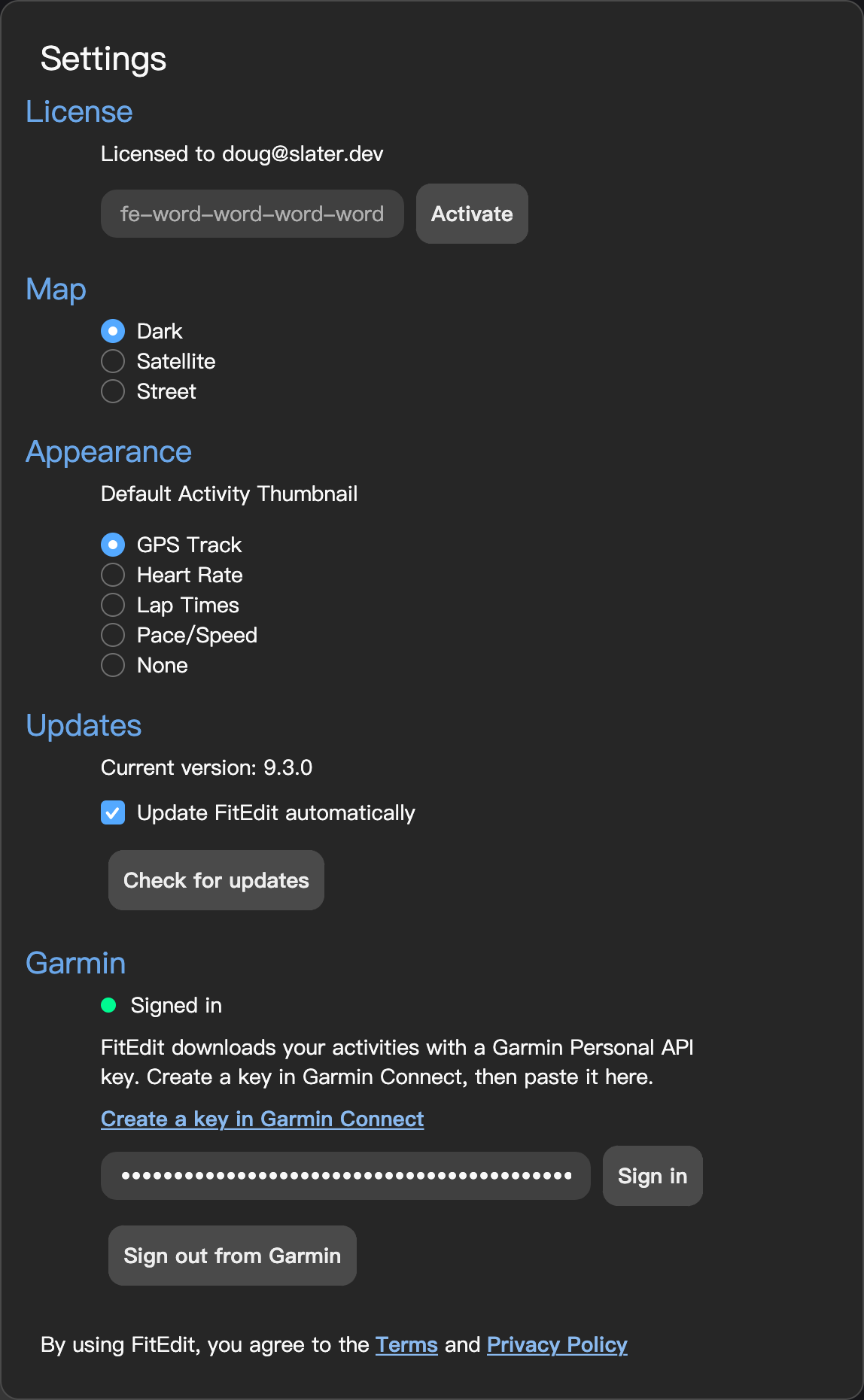
- License shows who your license belongs to. Paste a key here and click Activate. See Buy a license.
- Map sets the map style to Dark, Satellite or Street.
- Appearance sets the picture on each activity card. Choose GPS Track, Heart Rate, Lap Times, Pace/Speed or None.
- Updates shows the version you have. Update FitEdit automatically is on by default. Turn it off to stay on the version you have. Click Check for updates to check now.
- Garmin shows whether FitEdit is signed in with your Personal API key. Paste a key and click Sign in, or click Sign out from Garmin. See Connect Garmin.