Overview
FitEdit lists your activities on the left. Activities open in the workspace on the right.
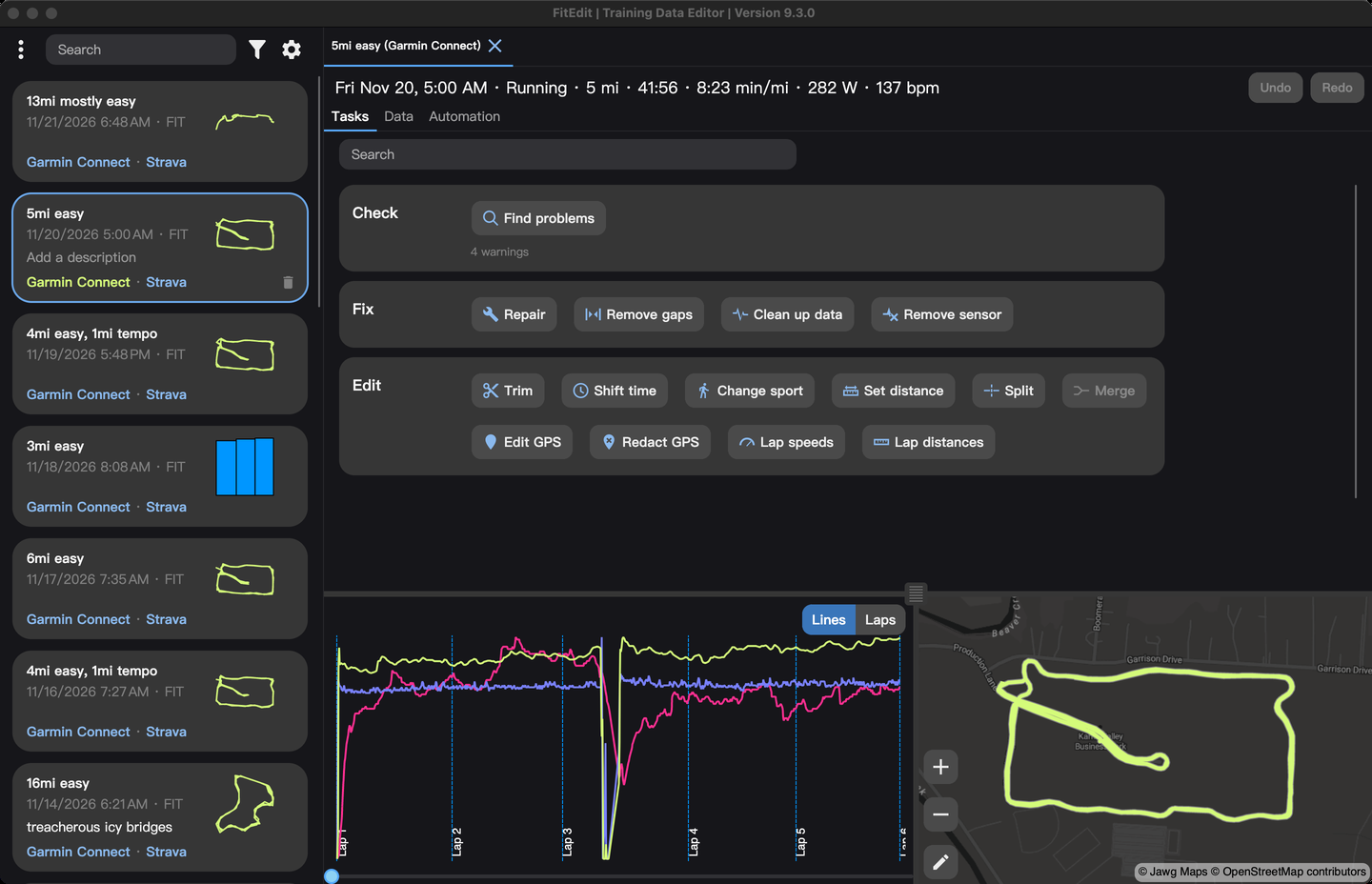
- The activity list shows every activity FitEdit has, newest first. See Activities.
- The workspace shows the activities you open. Each one gets a tab at the top. FitEdit can have several open at once.
- Under the tab is a summary of the activity. It shows the start time, sport, distance, time, pace, power and heart rate.
- Under the summary are the Tasks, Data and Automation views.
- At the bottom of the workspace are the chart and map of the activity.
- Undo and Redo are at the top right.
Tasks, Data and Automation
Tasks solves common problems, such as a watch that kept recording after you stopped, or a time zone that is off by an hour.
Data shows every value in the file in tables. You can change any of them.
Automation runs a short C# script against the open activity, for changes no task covers.
Versions, Undo and Redo
Every change saves a new version of the activity. FitEdit keeps the old versions. Undo can always go back. Redo brings back the version that Undo replaced.
| macOS | Windows and Linux | |
|---|---|---|
| Undo | Cmd+Z | Ctrl+Z |
| Redo | Cmd+Shift+Z | Ctrl+Y or Ctrl+Shift+Z |
Your changes do not reach Garmin. They stay in FitEdit until you export the activity.